User guide tracker
PPMS TRACKER USER GUIDE
Section titled “PPMS TRACKER USER GUIDE”Step 1: User registration in PPMS
Section titled “Step 1: User registration in PPMS”Prerequisite
Section titled “Prerequisite”Please note that it is compulsory to register yourself as a user in PPMS instrument booking system.
-
Please make sure you are registered on PPMS instrument booking system.
-
If you are already a PPMS user, please go to Step 2.
-
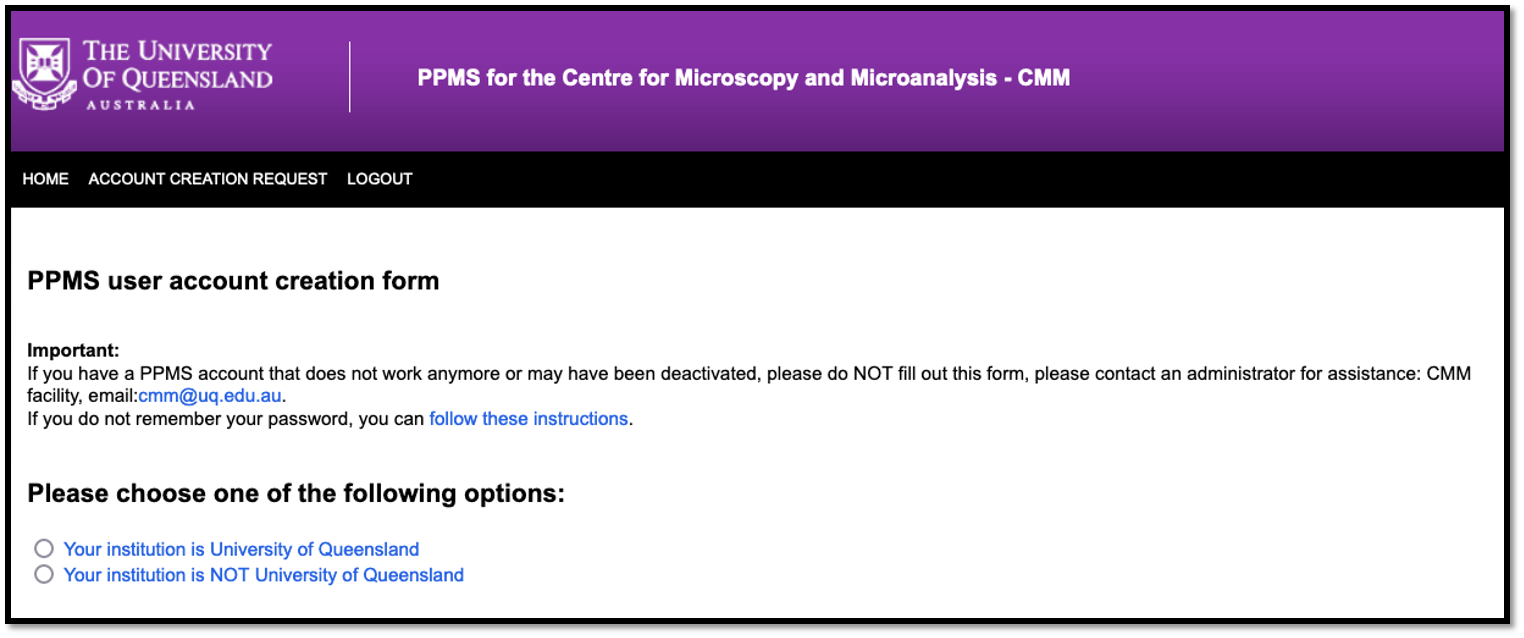
If you are not a PPMS user, please complete user registration form https://au.ppms.info/uq-cmm/areq/?pf=2
Step 2: Book your session in PPMS
Section titled “Step 2: Book your session in PPMS”Prerequisite
Section titled “Prerequisite”Please note that it is compulsory to book your session in PPMS instrument booking system.
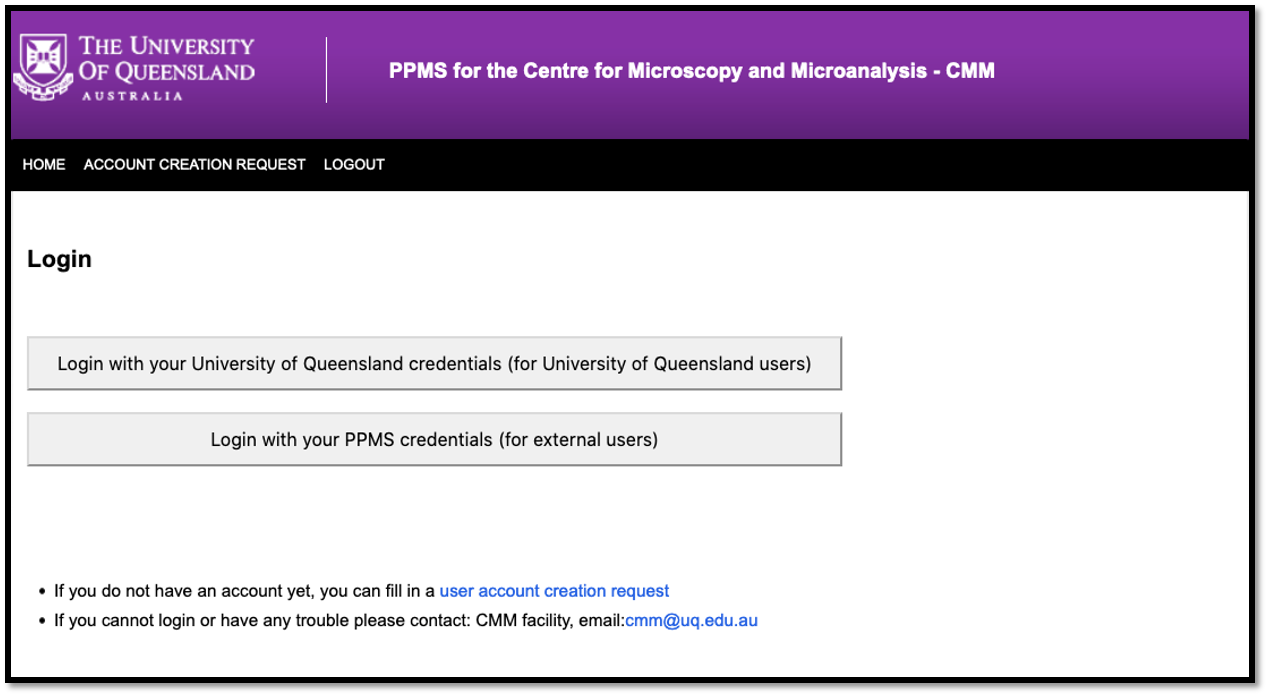
- Once your PPMS account is approved by CMM staff. Please login to PPMS using your UQ username and password.
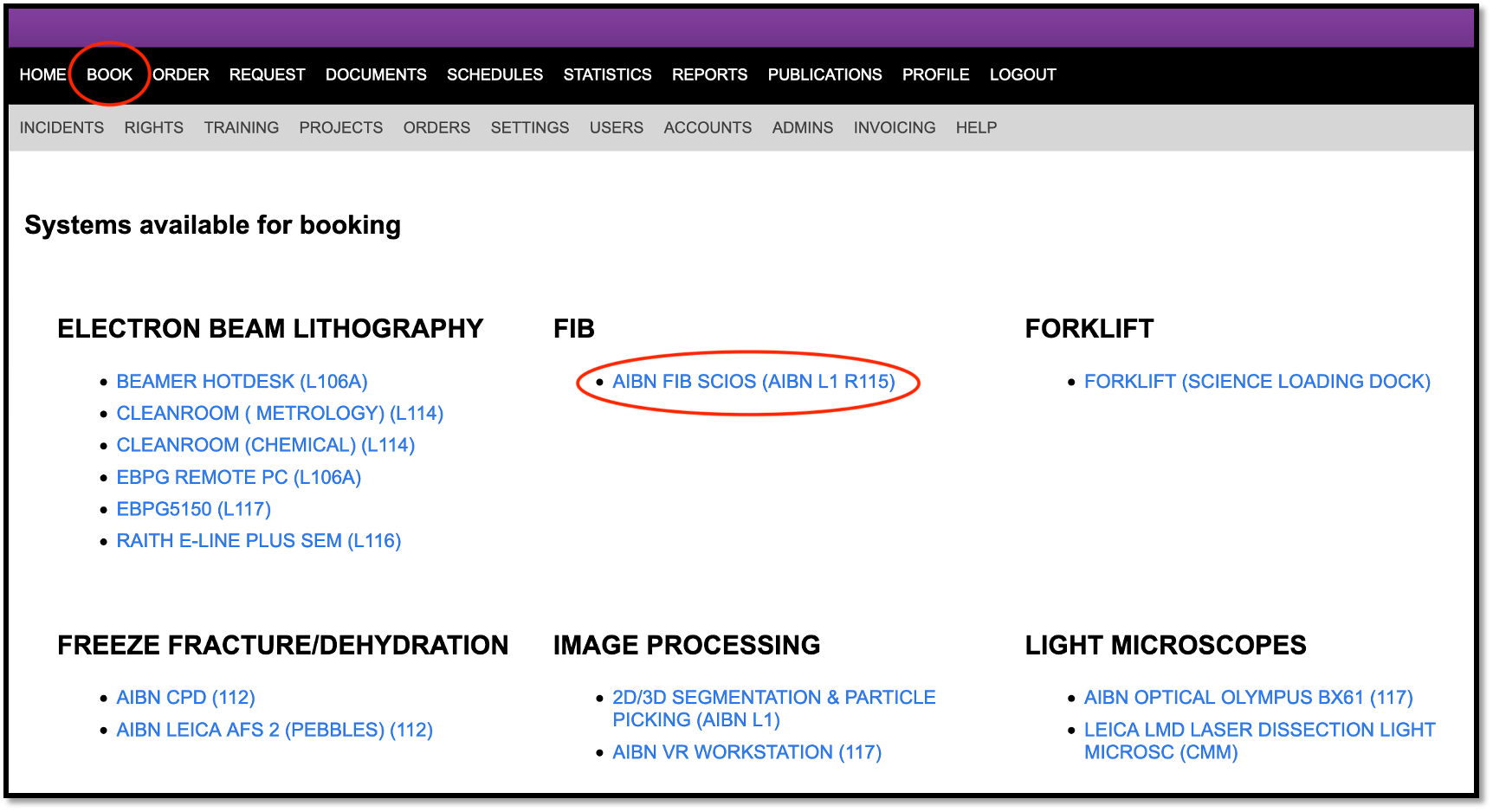
- On your home page please click on ‘Book’ on top bar.
- Please select the instrument from the list of instruments.
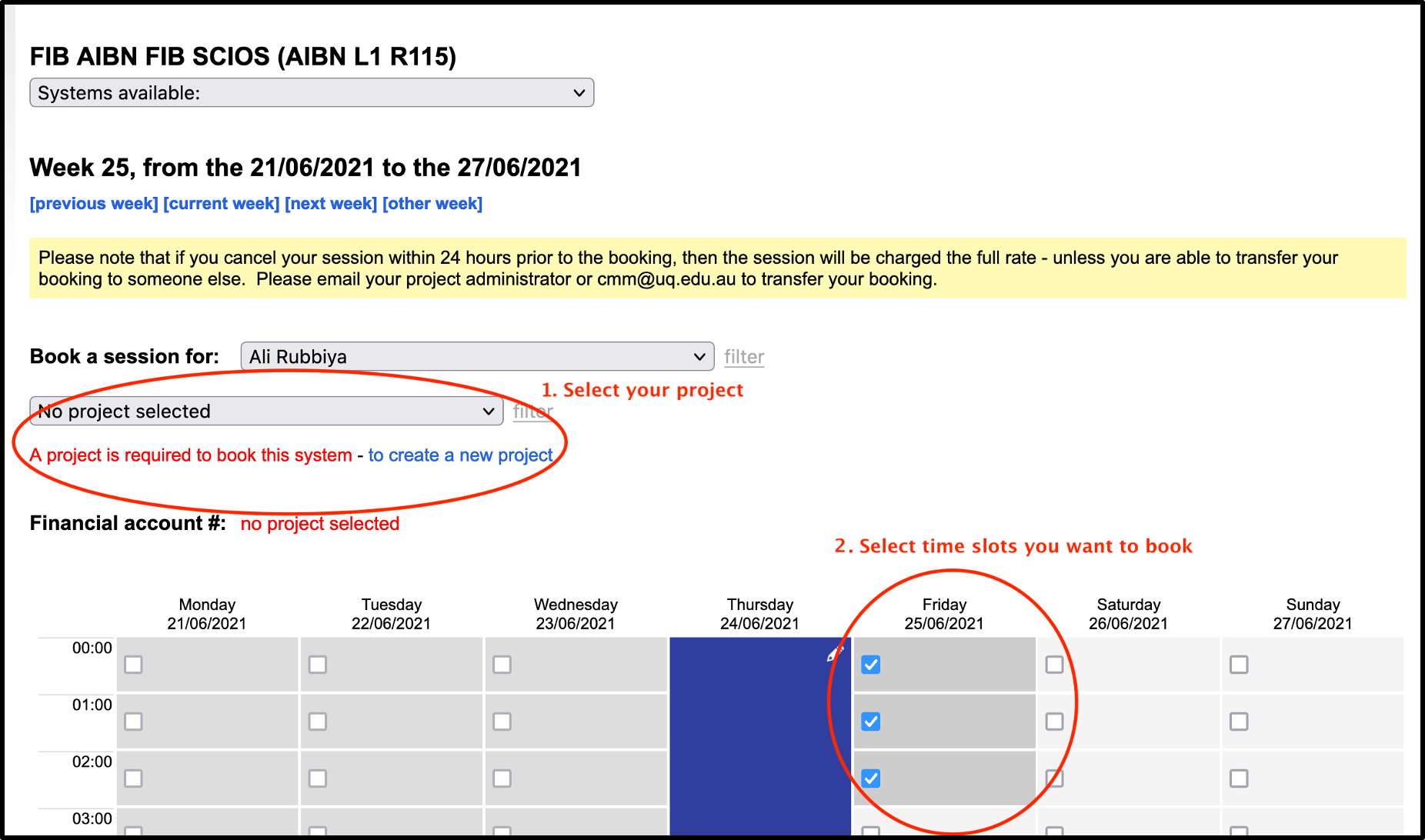
- On the booking calendar, please select Project, time slots to be booked and click the button Book the selected sessions.

Step 3: Access Instrument
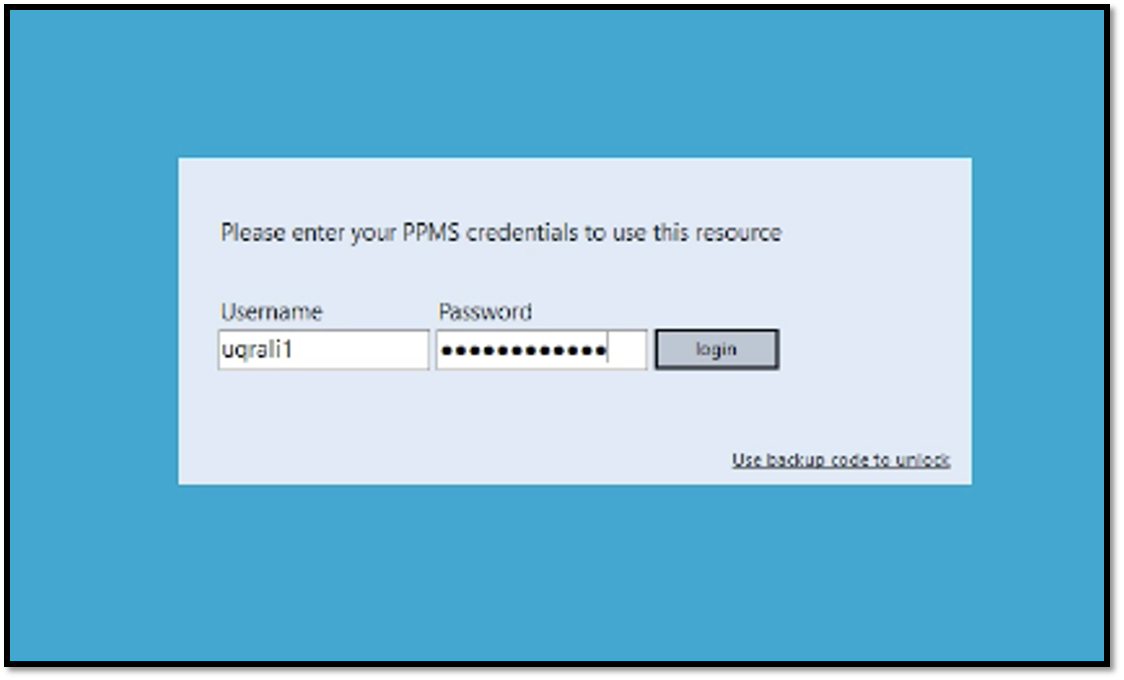
Section titled “Step 3: Access Instrument”- On the Instrument computer, on login screen please enter your UQ username and password.
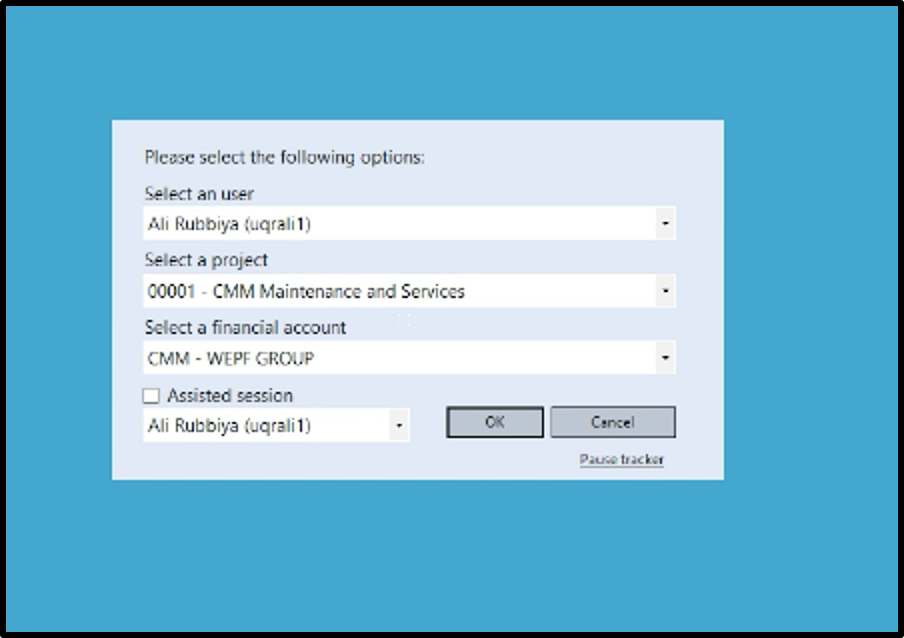
- Please select project. Make sure you select the right project.
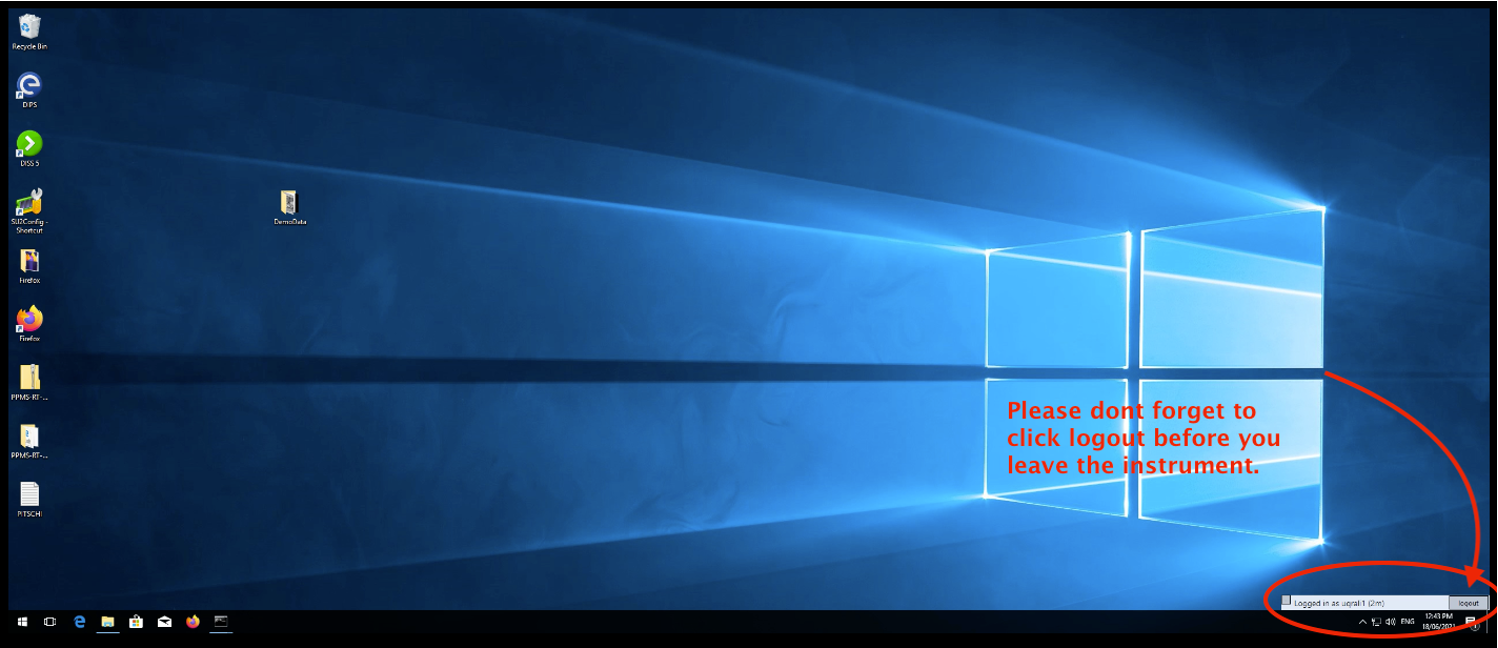
Step 4: Logout of PPMS Tracker.
Section titled “Step 4: Logout of PPMS Tracker.”Now you can use the system. Once you finish the work please log out of the system.